
Whether you are in Yangon, Mandalay, or Naypyidaw — install the golden slots App on your phone and play Slots, Live Casino, Fish Shooting Games, and Sports Betting right from your hand.
Designed for the majority of Myanmar players who play on mobile rather than desktop
Since most internet users in Myanmar access the web exclusively via smartphone, golden slots is optimized primarily for the mobile experience. Instead of downloading from the Google Play Store, Android users can install the APK directly from the official golden slots website. iOS users can open the site in Safari and tap "Add to Home Screen" to install it as a PWA.
The App's interface adapts to all screen sizes, displaying correctly on phones from 4-inch to 6.7-inch screens. Players report that sliding, tapping, and swiping to play Slots or Live Dealer games on a mobile screen gives a more immersive experience compared to a computer.
Data usage is carefully optimized, so games run smoothly without lag even on a 3G/4G connection. golden slots players have noted that games can be played continuously using a Telco data package even without WiFi, with minimal interruptions.
The Golden Slots App is optimized for Myanmar's Telco networks (MPT, Ooredoo, Mytel, Atom), so it performs consistently whether you are in a city or a rural area.
Choose one of the following methods based on your phone
Samsung, Xiaomi, Oppo, Vivo, Tecno, Infinix — you can download and install the golden slots APK on any Android phone. Android 6.0 or higher is required, and "Unknown Sources" must be enabled.
IPhone and iPad users can access golden slots via Safari browser and add it to the Home Screen — no download from the App Store required. It runs like a native app without any download.
Step-by-step guide for both Android and iOS
Go to Settings → Security (or Privacy) → enable "Install unknown apps", then allow Chrome browser or File Manager. This step only needs to be done once.
Visit the official Golden Slots website and tap the App download button. The APK file will be saved to your Downloads folder.
Tap the downloaded APK file from the Notification bar or File Manager, then tap "Install". Installation will complete in about 30 seconds.
The Golden Slots icon will appear on your Home Screen. Tap it, then log in with your username and password to start playing. If you don't have an account yet, Register from the site Please proceed.
Use only Safari on iPhone or iPad — PWA installation is not supported on Chrome. Type the golden slots web address in the address bar and open the site.
Tap the Share icon (a box with an arrow pointing out) in the Safari toolbar at the bottom (iPhone) or top (iPad) of the screen.
When the share sheet appears, scroll down and tap "Add to Home Screen". You can edit the app name if you wish, then tap "Add".
Once the Golden Slots icon appears on your Home Screen, tap it to open — it launches in full-screen mode without Safari toolbars, so it plays just like a native app.

The Golden Slots App gives you access to everything available on the desktop version
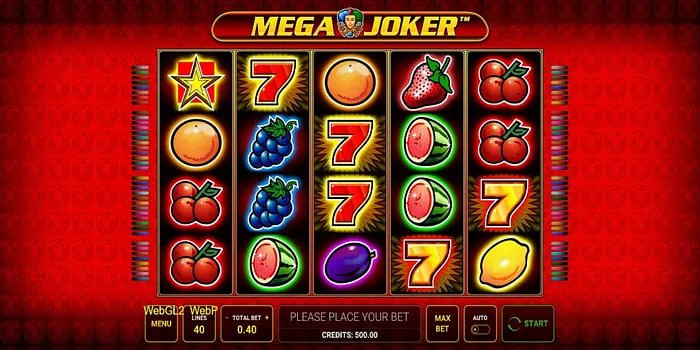
Play over 1,000 Slots games from Pragmatic Play, PG Soft, Spadegaming, and other top providers directly through the App. Includes Asia-themed Slots popular with Myanmar players, such as Dragon Tiger and Caishen Wins.
Play Baccarat, Roulette, and Dragon Tiger with a live dealer in real time. Players say that the HD video streaming, accuracy, and sound quality on the App make it feel just like being inside a real casino. Live Casino Details
Bet on world football, EPL, La Liga, Myanmar National League, and Esports directly through the App. With in-play betting, you can see real-time odds changes while the match is in progress. Betting Details
The most popular fish shooting games among Myanmar players are available on the App with touch controls. Players say that games like Joker Fish and Ocean King feel even better than on a computer, thanks to the larger screen experience and responsive touch input. Fish Shooting Games Details
When you log in through the App, you receive notifications about daily promotions and VIP cashback offers as they change. Promotion coupons can be redeemed directly in the App and are auto-applied when you make a deposit. View Promotions
KBZPay, Wave Money, AYA Pay, CB Pay, and Bank Transfer — deposits and withdrawals can all be handled directly within the App. KBZPay withdrawals arrive within 10 minutes, and you can track the status of your withdrawal from inside the App. Withdrawal Details
See how the Golden Slots App compares to playing through a regular browser
| Feature | Golden Slots App | Browser Version |
|---|---|---|
| Game Load Time | Fast | Fast (depending on browser cache) |
| Push Notification | Available | Not available |
| Home Screen Icon | Available | A shortcut can be created |
| Offline / Low Signal | Better | Requires reload if signal is lost |
| Touch Control | Optimized | Good (responsive) |
| Data Usage | Affordable | More possible |
| Full Game Selection | Available | Available |
| Deposit / Withdrawal | Available | Available |
You can play on the site through a browser without downloading the App, but installing the App provides a better experience thanks to push notifications and faster loading. The Golden Slots team recommends the App for users on Myanmar Telco data plans, as it uses data more efficiently.

See what Myanmar players think about the golden slots App
"After installing the APK on my phone, the speed improvement over the website is noticeable. Having my KBZPay deposit reflect in my balance within 5 minutes was better than I expected."
"Adding it to the Home Screen on iPhone via Safari makes it feel just like a native app. Playing Slots games with touch controls is smooth, and I access the live casino directly through the app."
"In-play football betting through the app updates odds faster. Wave Money withdrawals take around 15 minutes and I haven't had any issues. I recommend this app to younger players."
"I agree that playing fish shooting games on the app with a touch screen is better than on a computer. Getting notifications when bonuses arrive means I never miss them — that's the best thing about the app."
A collection of questions players frequently ask about the Golden Slots App
From anywhere in Myanmar, download the Android APK or add the site to your Home Screen via iOS Safari, and play Slots, Live Casino, fish shooting games, and Betting right from your phone. Deposit in minutes with KBZPay or Wave Money and start playing right away. Welcome BonusesAlso available.